Check the drive, copy it safely, take the files you need
Free for everyone, no licence key at all, ever. Tests it first with a PDF feasibility report, then images it safely and lets you tick the files and folders you want back from its index - saving them costs nothing either.
Free for everyone. No licence key at all, ever.
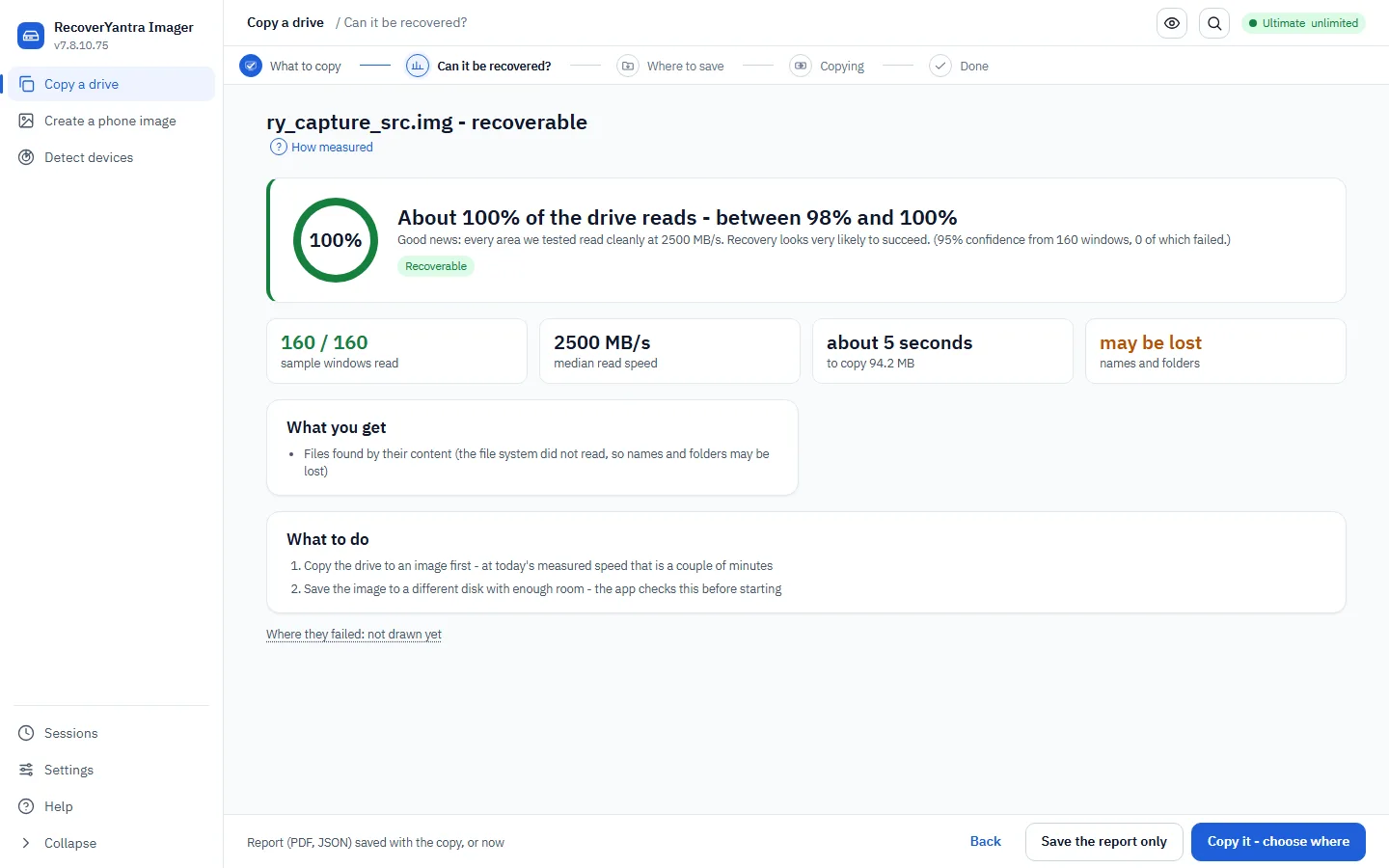
RecoverYantra Imager, as shipped
A real screenshot of version 20.54.3.2, captured from the shipping build on this bench. Nothing on the site is a mock-up.
What this release adds to RecoverYantra Imager
Each item is in the shipping build of this product; the others in the range that carry it are named on the card.
Browse first, recover what you tick
The file system index is read in seconds and shown as a tree with deleted entries marked. One file, one folder or a whole volume is recovered on its own; the whole-drive scan stays one click away.
Recovery chances before extraction
The allocation table says whether a deleted file's first cluster now belongs to another file, and the first bytes are checked against the format the name claims. Good, bad, unknown or unchecked, per file, before anything is written.
Original dates restored
Created, modified and accessed times are read from NTFS, FAT, exFAT, ext4, XFS, Btrfs, F2FS and UFS and set on every recovered file, so a recovered photograph is dated when it was taken, not when it was recovered.
The Imager takes files, not only images
Check, image and browse a drive free; tick files and folders and extract them. A key is asked for at the first export from a source and never before.
Folder layout and long names kept
A narrowed recovery keeps the ticked folder layout instead of being flattened into Photos and Documents. NTFS Win32 long names win over the DOS 8.3 name, and exFAT sub-folders are walked.
Ex01 and AFF4 images read as sources
Alongside raw dd, .img, .iso and E01, an image can now be read from an EnCase Ex01 or an AFF4 container and recovered from exactly as from any disk image. Output stays raw or E01, hashed on read and verified after write.
Filesystem-aware imaging with an entropy map
Imaging can copy only the areas the file system marks in use and read the rest as an entropy map, so an almost-empty or already-encrypted drive is imaged in a fraction of the passes a full sector copy would take. The full copy stays available.
What this product is bought for
If the situation below matches yours, this is the right product. If none of them do, another product in the range is likely to be a closer fit, and the last section on this page says which.
A drive is failing and the owner needs to know whether paying for recovery makes sense before committing to it.
A machine is being handed to a laboratory or an insurer and the evidence has to travel as one verifiable file.
A bench images every incoming drive before touching it and needs the feasibility verdict and the copy in one tool.
A phone must be imaged before an examination, by someone who does not do it every day.
How RecoverYantra Imager is built
The answer before the hours
Areas across the whole drive are test-read and the verdict is stated in plain words with its numbers: the estimated unreadable range, the read speed, and what can and cannot come back. Downloadable as a PDF.
Tick what you need, not the whole drive
The drive's index opens as a tree in seconds, deleted entries marked with their recovery chances. Tick a file or a folder and only that is read and written.
A copy that survives bad drives
Multi-pass imaging that takes the easy data first, skips past bad areas instead of fighting them, retries them at the end, and can be stopped and continued from the same place.
What RecoverYantra Imager does
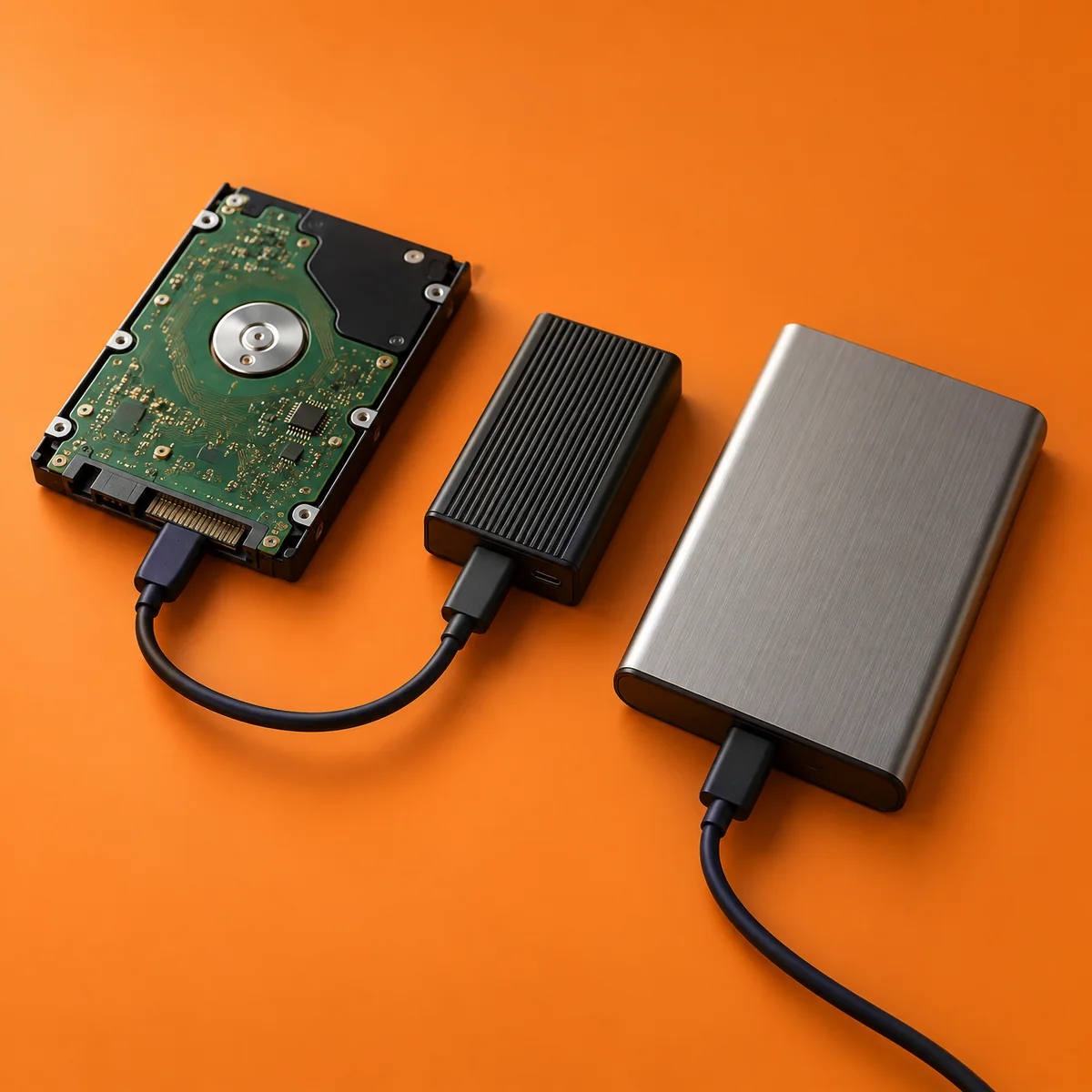
Feasibility study with PDF report
Sampled test reads across the drive, a 95%-confidence estimate of the unreadable fraction, drive health, encryption and file system detection, and the verdict in plain language.
File- and folder-level extraction
Browse the volume's index with deleted entries marked, tick what you want, and only those files are read and written - seconds instead of a full scan for one folder.
Gentle multi-pass imaging
The GNU ddrescue method: copy the easy data first, trim and scrape the bad areas afterwards, keep a map of every region that would not read, stop and continue at any time.
A forced, checked destination
The destination must be a different disk from the source; the picker lists each drive with its free space and refuses the drive being copied or one that is too small.
Raw or E01 output
Raw .img with a bad-sector map, or Expert Witness Format (E01) compressed and hashed at write time, plus one-click zip packaging of raw images.
Guided phone imaging
Android imaging over ADB with step-by-step connection guidance; device states are explained with what to do on the handset.
Workspaces in this build
These are the workspaces the application contains. Anything not listed is absent from the build; it is not present and locked behind the licence.
- Image a failing drive
- Create a phone image
- Detect every connected device, with a report
The rest of the range
This page lists what the product does. Each product in the range is built for its own job, and what every one of them does is set out, product by product, on the products page, generated from the build itself. Hardware cases (drives that do not spin, locked phones, encrypted volumes) are covered in the hardware help guide.
Get RecoverYantra Imager
Free for everyone, no licence key at all, ever. Tests it first with a PDF feasibility report, then images it safely and lets you tick the files and folders you want back from its index - saving them costs nothing either.
Get RecoverYantra Imager
Supplied to approved RecoverYantra partners. Apply once; your dashboard then carries every product, the licence keys for your machines and a direct line to our engineers.
System requirements
- Windows 10 or 11, 64-bit
- Administrator rights to read a physical drive. Working from a disk image needs none.
- A separate destination with room for the recovered data. Results are never written to the drive being read.
Linux
The engine runs on Linux from source, and a Linux command-line build is available on request.
RecoverYantra Imager at a glance
Every row is read from the build this page was generated from.
| Product | RecoverYantra Imager, version 20.54.3.2 |
|---|---|
| Family | RecoverYantra, data recovery |
| Platform | Windows 10 and 11, 64-bit. Administrator rights are needed to read a physical drive; working from a disk image needs none. |
| Workspaces included | 3 of 42 in the range: Image a failing drive, Create a phone image, Detect every connected device, with a report |
| File types recovered | 269 formats carried in the signature table, searched together with file system parsing. |
| Access to the source | Read-only for the whole session. The application refuses a destination on the drive being read. |
| Licensing | Free for everyone: no licence key at all, ever. No account, no activation server and no internet connection needed. |
| Before a key | There is no key. Checking a drive, imaging it, browsing its index, taking the files you need and ingesting a rig's dump all cost nothing, always. |
| Dependencies | None. A single executable, with no runtime, framework or third-party package to install. |
| How it is supplied | Through the partner programme. The build is 23 MB; its SHA-256 is shown beside the download in your partner dashboard. |
Where the rest of the range fits
These products carry workspaces RecoverYantra Imager does not. The list is derived from the catalogue, so it cannot point at a product that lacks the capability too.