
Acquire the phone as evidence
Forensic mobile acquisition: identify the device, run the method that reaches it under a recorded authority, acquire byte-exact, and seal it into the case with the chain of custody and the draft Section 63(4) certificate. The acquisition is handed to the Forensic Suite for examination.
Licensed by a key bound to one machine, sold by the drive or image.
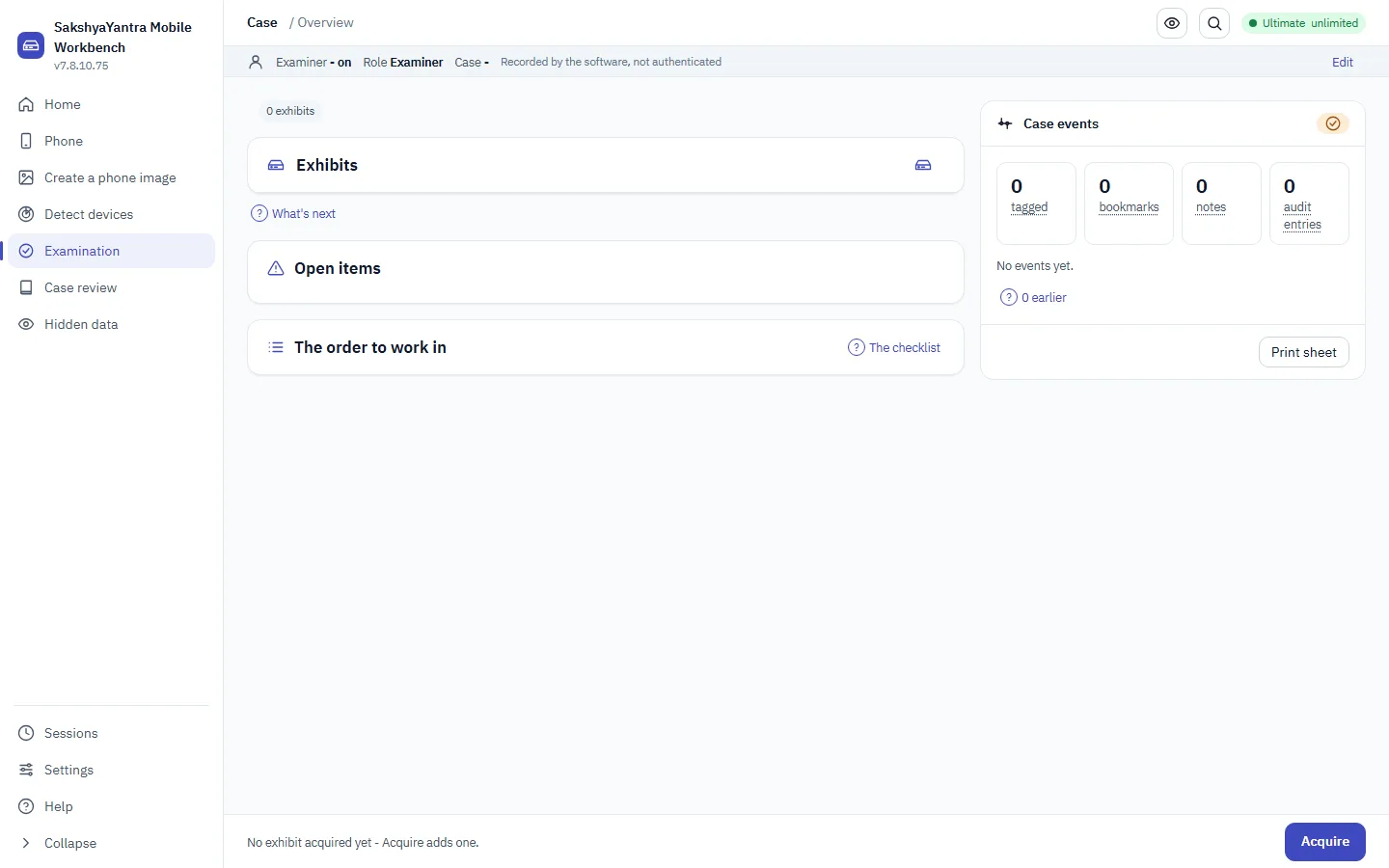
SakshyaYantra Mobile, as shipped
A real screenshot of version 20.54.3.2, captured from the shipping build on this bench. Nothing on the site is a mock-up.
What this product is bought for
If the situation below matches yours, this is the right product. If none of them do, another product in the range is likely to be a closer fit, and the last section on this page says which.
A seized handset is an exhibit and needs a forensic acquisition, not a consumer backup.
The examiner needs to know, before touching the device, whether a method exists for its exact chip.
An acquisition has to be sealed with the chain of custody and a Section 63(4) certificate for it to stand as evidence.
A mobile exhibit has to be acquired under a recorded authority and handed to the examination cleanly.
How SakshyaYantra Mobile is built
Authority before the device is touched
The case reference and the operator's stated authority are required before acquisition unlocks - the tool records the attestation, it does not assert lawful authority.
The honest method plan
Which method reaches a locked handset depends on its exact chip, and the plan is run before anything is connected, naming the method that applies or that none does.
Sealed, with a certificate
The acquisition is hashed, manifested and sealed into the case, and a draft Section 63(4) certificate records the device, the method and the authority.
What SakshyaYantra Mobile does
The method registry
Every public method with its device reach, state and BFU/AFU boundary, the driven open-source tools, and the signed licensed-package seam for what only agreements unlock.
Automatic and manual acquisition
Work down the methods that reach the device until one succeeds, or run a chosen one, each recorded in the audit trail.
Recorded authority
The case id and the operator's authority are captured to the tamper-evident audit trail and travel with the acquisition.
Sealed into the case
The acquisition is sealed with its manifest and the chain of custody, ready for the Forensic Suite to examine.
The Section 63(4) certificate
A draft certificate records the device, method, authority, times and hashes, for the examiner to complete.
Workspaces in this build
These are the workspaces the application contains. Anything not listed is absent from the build; it is not present and locked behind the licence.
- Phone acquisition and data recovery
- Create a phone image
- Detect every connected device, with a report
- Forensic examination and reporting
- Case hub: cases, versions and locks
- Foreign image and dump ingest
- Evidence viewer
- Cross-case lookup
- Ask the case (AI observations after a sealed reading)
- Steganalysis
- sessionrec
The rest of the range
This page lists what the product does. Each product in the range is built for its own job, and what every one of them does is set out, product by product, on the products page, generated from the build itself. Hardware cases (drives that do not spin, locked phones, encrypted volumes) are covered in the hardware help guide.
Get SakshyaYantra Mobile
Forensic mobile acquisition: identify the device, run the method that reaches it under a recorded authority, acquire byte-exact, and seal it into the case with the chain of custody and the draft Section 63(4) certificate. The acquisition is handed to the Forensic Suite for examination.
Get SakshyaYantra Mobile
Supplied to approved RecoverYantra partners. Apply once; your dashboard then carries every product, the licence keys for your machines and a direct line to our engineers.
System requirements
- Windows 10 or 11, 64-bit
- Administrator rights to read a physical drive. Working from a disk image needs none.
- A separate destination with room for the recovered data. Results are never written to the drive being read.
Linux
The engine runs on Linux from source, and a Linux command-line build is available on request.
SakshyaYantra Mobile at a glance
Every row is read from the build this page was generated from.
| Product | SakshyaYantra Mobile, version 20.54.3.2 |
|---|---|
| Family | SakshyaYantra, digital forensics |
| Platform | Windows 10 and 11, 64-bit. Administrator rights are needed to read a physical drive; working from a disk image needs none. |
| Workspaces included | 11 of 42 in the range: Phone acquisition and data recovery, Create a phone image, Detect every connected device, with a report, Forensic examination and reporting, Case hub: cases, versions and locks, Foreign image and dump ingest, Evidence viewer, Cross-case lookup, Ask the case (AI observations after a sealed reading), Steganalysis, sessionrec |
| File types recovered | 269 formats carried in the signature table, searched together with file system parsing. |
| Access to the source | Read-only for the whole session. The application refuses a destination on the drive being read. |
| Licensing | A signed key bound to this machine's code, verified offline. Sold by the source: one use is one drive or image, and the same source is free afterwards. No account, no activation server and no internet connection needed. |
| Before a key | Scan, browse and preview without a key; the key is asked for when files are first saved from a source. |
| Dependencies | None to install. The forensic family bundles its own media and analysis libraries inside the installer; nothing is fetched at run time. |
| How it is supplied | Through the partner programme. The build is 1766 MB; its SHA-256 is shown beside the download in your partner dashboard. |
Where the rest of the range fits
These products carry workspaces SakshyaYantra Mobile does not. The list is derived from the catalogue, so it cannot point at a product that lacks the capability too.